CSS Language Icons

I just implemented a little eye candy for my blog: Language icons in front of links.
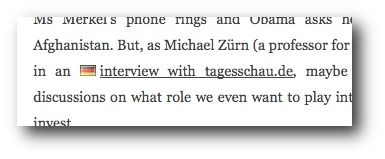
Actually, it’s only one language so far, German. The reason I am doing this is because on occasion I link to German articles that are no use clicking on for people who don’t understand a word in German — or at the very least it makes them aware of that behind this link, they’ll find a German page.

I left English hyperlinks unmarked so far, but if you guys like it this way, I will do it the other way around as well, marking English links as such when I blog in German. Obviously, there’s no use flagging links that have the same language as the article itself.

For the geeky readers, I used a CSS32 selector in order to “flag” only the links whose “lang” attribute I set to “de”. Consider me a fan of CSS (2 and 3, alike). Now it can only take a decade-or-so until its features are available in Internet Explorer as well. In fact, any reader out there who cares telling me if my language icons work in IE? Leave a comment :)

Update: As a few commenters point out (thanks!), this is a CSS 2, not 3 selector. Nonetheless, it won’t work with IE 6, but with IE 7. That’s fine with me.

Update: In the comments, Michał notes that the hreflang attribute would be more appropriate than lang, as it denotes the language of the link target, not the language of the link text itself. He’s right, so I changed it. Thanks!

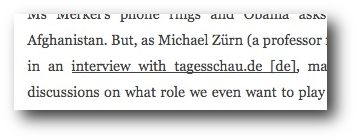
Update: Some commenters pointed out a better way: Taking the hreflang attribute and displaying it behind the actual link text. That removes possible confusion about the flag icons, and hopefully doesn’t disturb the reader. I found the approach very nice so I adapted it instead. This is how it looks:
On a side note, even IE 7 users won’t see this. Sorry.


Categories: Mozilla Crosspost, OSU OSL Crosspost, Tech Talk | Tags: , , ,

21 Responses to “CSS Language Icons”

  1. This feature is part of CSS2, so we already know a decade is not enough ;)

    But shouldn’t it use hreflang (i.e. the language of the linked document) instead of lang (i.e. the language of the link itself)?

  2. Oh, CSS2? I didn’t know. I believed the website css.info that it was CSS3.

    Anyway, good point about hreflang, maybe I should change that, since indeed I mean the language of what the link points to, not the link itself!

  3. Works in IE7. You’re on your own for IE6 :)

  4. No go for IE6. And like Michał said:
    http://www.css3.info/using-css-3-selectors-to-apply-link-icons/#comment-31017

  5. Thanks guys! I updated the article. Also, being incompatible with IE 6 (or rather, IE 6 being incompatible with my blog) doesn’t exactly bother me :)

  6. The background approach is a nice wrinkle — I blogged about using CSS generated content to annotate PDF,Word, etc. some 5 years ago. (http://www.surfmind.com/musings/2003/10/11/). That still doesn’t work in IE.

    The notion of better communicating details about link destinations dates way back to qBullets in the mid 90s, and link type concepts in hypertext work FWIW.

    The general convention has been to put the icons *after* the link, not before, but other than convention I’m not aware of any reason to prefer one over another.

  7. Thanks, Andy. I think I will try it out after the link as well, then pick the one that I find nicer. It probably makes sense though, as the reader can first read what it is, then what language it is in, not the other way around.

  8. Using flags to indicate languages is just asking for trouble.

    http://www.456bereastreet.com/archive/200604/indicating_language_choice_flags_text_both_neither/

  9. “[…] as the reader can first read what it is, then what language it is in […]”

    Which, of course, only applies if you’re reading from left to right, and not the other way around.. So putting the icon to the “correct” position would require to determine the language context to be able to define if “before” means “on the left side of the link” or not, e.g., as the in Arabic or Hebrew written languages.

  10. http://www.glazman.org/weblog/dotclear/index.php?post/2008/11/07/CSS-Language-Icons

  11. A nice flamewar is brewing over here:

    http://www.glazman.org/weblog/dotclear/index.php?post/2008/11/07/CSS-Language-Icons

  12. Not a flamewar – there are numerous old discussions on the topic in different forums, the basic idea is that flag represent nation – and nation may have different languages (switzerland has 4), and some language won’t have associated nation (yiddish, latin, but also basque…).
    Already using the German flag is weird, there are so many dialects in Germany… besides, the flag works only for few ones – if I show you a Togolese flag, would you know it is Togo? Well, even going that far, if I show a German flag to a child in Togo – or probably for most US citizen :-) - who will read English – would he know it is German ? :-) The international letter code, using the 2 letter or better the 3 letter code can represent all langage, and because it is a mnemonic form, it is simpler to memorize that flags.
    See http://en.wikipedia.org/wiki/Language_code for a start :-)

  13. David Naylor, I am fed up with you : I did NOT start a flame war. Frederic just fell into the same “flag language icons” flag we ALL went into and it’s an important enough issue I decided to blog about it. That said, Frederic raises a very interesting issue, the automatic tagging of links when the target of the link is in another language.
    On another note, the last commend you David Naylor left on my own blog was insultant enough I deleted it and closed the comments on my post. So who’s throwing oil in the fire again here, you or me ?

  14. It is not a flamewar, just a very practical recommendation.

    Daniel explained in the original article what was the process behind this.
    http://www.glazman.org/weblog/dotclear/index.php?post/2002/09/16/2576-untitled
    I encouraged you to read this. Frederic had an idea similar to other people 6 years ago and certainly others before, but which led us collectively that it was not the best choice.

    a[hreflang]:after {
    content: ” [” attr(hreflang) ”]”;
    }

    being much better.

  15. Daniel and Karl: Thank you for suggesting to use attr(hreflang) instead. That seems very slick! In fact, I was doing this on occasion before, manually, but using the hreflang attribute has the charm of being semantic, so if you have a screenreader or any other software that understands it, it can handle it appropriately, while the CSS rule surfaces it for regular readers.

    I am well aware of the fact that this approach is not generalizable, and I never meant to imply that. In other words, some of you are completely missing my point, assuming that I do not know the difference between language and nationality. I do not think that I am going too far marking German content with the German flag. Even the different dialects do not change that. Sure, if I tagged Togolese content with a French flag could be perceived as odd, but I never intended to do so in the first place. Likewise, using a Swiss flag was not in the picture either.

    That being said, I find Daniel’s and Karl’s approach so much nicer that I decided to change it accordingly. I would, for example, be able to distinguish a “Spanish Spanish” from a Brazilian Spanish source.

  16. Just wondering… How is CSS’ :after interpreted when run on an RTL system, e.g., in Firefox? Could anyone test that?

    That would solve the issue I came up with in my last comment.

  17. Fred, I’m glad to see Karl jumping in here. He’s right. I actually implemented the Hreflang thing several years ago on my blog (per Karl’s suggestion, with Daniel’s technical help, IIRC).

  18. Tristan: I agree that Karl is right, that’s why I changed it :) Sometimes I try things out, just to get somebody to tell me they have a better solution.

    Of course I seem to be a little (read: a few years) later than most of you, uhm, sorry about that.

  19. Unless you’re going to post content in ‘controversial’ languages, which is rather unlikely, you’re not going to run into problems using flags.

    These controversies consist mostly of people looking for controversies, real life trolls. Ignore them and their languages, like most of the world does.

  20. Jean Pierre: CSS :after obviously means after in the direction of the writing, in RTL that is on the left hand side of the text.

  21. Nice. :)

Leave a Reply