
Everybody knows Mozilla makes Firefox. But there is a lot more software at work here at Mozilla that you might not be aware of. For example: What happens when you go to getfirefox.com and click on the download button?
 By clicking on the button, you ask our servers to send you a specific file, for example: Firefox 3.6.3, for Windows, in German. On a small website, the server would just fetch the file and hand it to you. But if you need to handle millions of downloads a day like we do, a single server can't handle it all by itself, so it gets more complicated. In order to provide you with downloads, updates, etc., as fast and conveniently as possible, Mozilla collaborates with a number of mirror providers that have volunteered to host Firefox and other downloads on our behalf, thus sharing the load of our numerous downloads between a number of servers all over the world.
For some years now, we have been running a bundle of software called "Bouncer" to handle our downloads for us.
Bouncer consists of of three components: The user-facing bounce script, an administrative interface called Tuxedo, and a mirror checker called Sentry.
First, the bounce script. It is the only component the "ordinary user" gets to interact with. It essentially does the following after you click on a download link:
- It determines if the product you asked for exists.
- Out of our list of mirrors, it picks one that has your file. Initially, it would pick one at random. Over the years, the logic has become more elaborate though: Meanwhile, it takes into account in what country you currently are, as well as how strong the mirrors are (stronger mirrors serve more downloads, weaker ones serve less).
- A split-second later, Bouncer refers you to the server it decided on, and that server will send you the file you asked for.
But wait, there is more! How does Bouncer know what products are available, for what operating systems, and in what languages? That's where the admin interface comes in. We have a release engineering team who work hard every day to deliver the newest software versions to you in handy little packages. Previously, during every release, an engineer would manually tell Bouncer that a new version was available for download. But just last week, we improved this process by introducing a new interface to Bouncer, with a project called Tuxedo. The release engineering team can now, fully automatically, feed new versions into Bouncer at the time of release, with no manual intervention. With less time spent on repetitive tasks, we can spend more time making Firefox awesome.
Finally, the Sentry component is a script that periodically checks the health of our mirrors, and adjusts our settings accordingly. This is to ensure that a situation where you are forwarded to a mirror that is currently unavailable is very, very rare. So far, these mirror checks happen from Mozilla Headquarters, and therefore reflect the connectivity we get to the mirrors from here. In the future, we want to improve that by taking into account more how our users' connectivity is to the specific mirrors (for the geeks out there: Network proximity != geographical proximity), which has the potential to result in faster download times, less expenses for mirror providers, and general happiness.
As you can see, there are a lot of things happening behind the scenes before Firefox makes its way onto your computer at home, and we are constantly working on improving the way we are doing things. Plus, as always: Bouncer is completely open source, and we have a public bug tracker, so if you notice any problems or see room for improvement, make sure to let us know.
Photo credit: "directions", CC-by licensed by Phillie Casablanca.

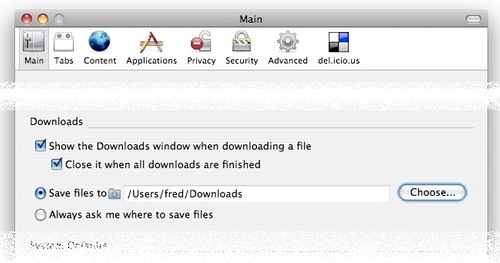
 "Goodbye, desktop clutter", indeed!