 For the longest time, I was sending my laptop to "hibernation" mode every night. Why? Not because I particularly mind the minute power consumption it might have while sleeping, but because it would randomly wake up during the course of the night. My "zombie laptop" would particularly annoy me because it'd log back into my messaging service in my absence (thus prompting people to think I am awake at 3 a.m.), get unnecessarily warm (due to its being closed), and when I opened it back up, it'd not switch its monitor back on (due to a feature that OS X calls "clamshell mode").
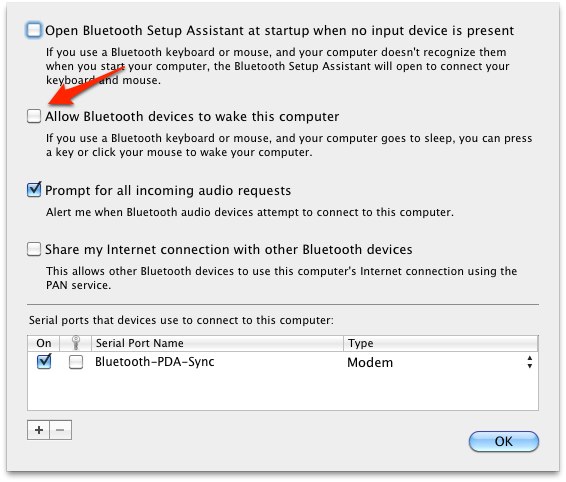
Today, I had enough, and after a little more googling, I stumbled across a comment in a macosxhints article mentioning Bluetooth settings: Apparently, there's a setting for letting bluetooth devices power your Mac up from sleep. As I have a bluetooth-based wireless Mac keyboard, I tried out switching that setting off -- and long story short, it seems to have worked.
If you have the same problem, uncheck the following box in System Settings / Bluetooth / Advanced Settings to give it a shot:
Happy zombie-Mac killing!